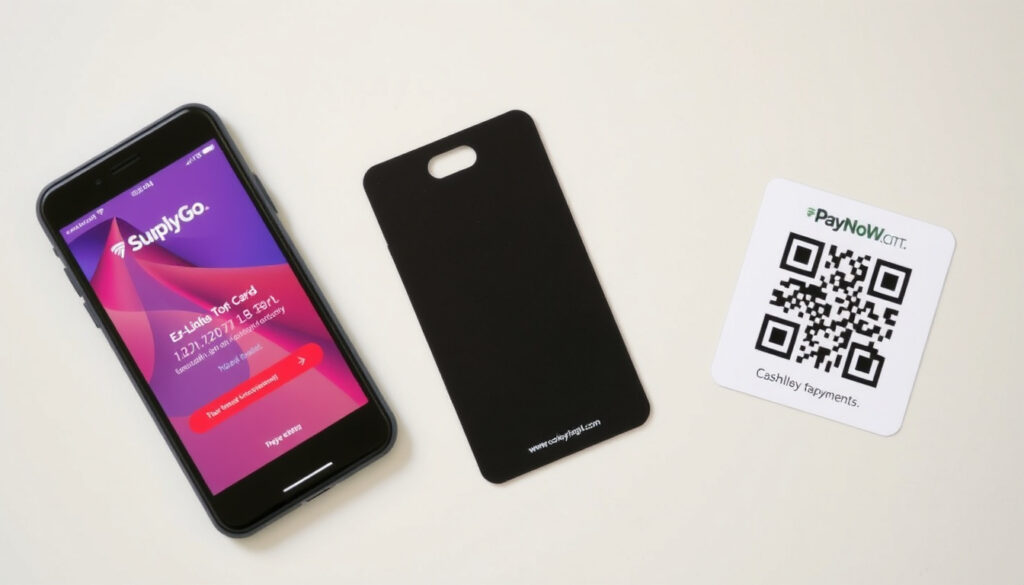
Top Up EZ-Link Online: Guide with SimplyGo App & PayNow
Few things feel more satisfying than tapping your EZ-Link card at a gantry and hearing that approving beep. But when your balance runs low, the last thing you want is to queue at a machine. This guide walks you through every way to top up EZ-Link online — including the SimplyGo app, PayNow, and methods that work without a card or a smartphone — with over 50,000 top-up points islandwide and 7.5 million daily trips relying on it.
EZ-Link cards issued: over 30 million since launch ·
Top-up points islandwide: more than 50,000 ·
SimplyGo app users: over 2 million ·
Daily public transport trips: 7.5 million
Quick snapshot
- SimplyGo app is the primary online top-up channel (SimplyGo App User Guide (official))
- PayNow is accepted within the SimplyGo app (SimplyGo Wallet Support (official))
- DBS/POSB ATMs with EZ-Link function allow top-ups (DBS Bank (Singapore))
- Exact foreign transaction fees for non-Singapore cards not published (SimplyGo Support (official))
- Whether all foreign card networks (e.g., JCB, Discover) work is unconfirmed (SimplyGo Wallet Support (official))
- SimplyGo replaced older EZ-Link app in 2023 (SimplyGo official page (Singapore))
- Online top-up now instant via NFC sync (Nexus Parent Zone (school resource))
- Wider contactless acceptance expected on buses (Land Transport Authority (Singapore regulator))
- More features in SimplyGo for tourists (SimplyGo App User Guide (official))
Six key data points sum up what you need to know about EZ-Link top-ups at a glance.
| Attribute | Value |
|---|---|
| Administrative body | SimplyGo (EZ-Link Pte Ltd) |
| Number of top-up channels | Over 50,000 islandwide |
| Online top-up available | Yes, via SimplyGo app and website |
| Minimum online top-up | S$5 (varies by channel) |
| Maximum card balance | S$100 |
| Foreign card accepted | Yes, on SimplyGo app |
Can I top up my EZ-Link online?
Yes, and you have more options than most people realise. The SimplyGo app — now serving over 2 million users — is the official channel, but there are also browser-based and contactless routes.
Online top-up via SimplyGo app
- Step 1: Open SimplyGo app and tap the top-up icon (SimplyGo App User Guide (official guide))
- Step 2: Tap the specific card you want to add money to (SimplyGo App User Guide)
- Step 3: Hold your EZ-Link card to the phone, then tap “Start Scanning” (SimplyGo App User Guide)
- Step 4: Select the top-up amount (minimum S$5), tap “Next”, and confirm payment (SimplyGo App User Guide)
- Step 5: Hold the card to the phone again until the transfer completes (100% scan) (Nexus Parent Zone (school resource with demo))
Top-up without app or card
- Use the SimplyGo website via a browser on your phone or computer — no app download needed (SimplyGo official portal (Singapore))
- Log in with your SimplyGo account credentials (Singpass not required, but helps) (SimplyGo Wallet Support (official))
- At physical kiosks (MRT stations and bus interchanges), use cash, NETS, or contactless credit card (Nexus Parent Zone (top-up methods list))
With over 7.5 million daily public transport trips in Singapore, the difference between a 30-second app top-up and a 5-minute kiosk wait adds up fast. The SimplyGo app cuts that wait to zero.
How to top up EZ-Link card using iPhone?
iPhone users get the same core flow as Android, but with a few iOS-specific details.
Using SimplyGo app on iPhone
- Download the SimplyGo app from the App Store (SimplyGo App User Guide (official))
- Create an account or sign in (required for first-time users) (YouTube tutorial (user demonstration))
- Tap the plus (+) icon to add your EZ-Link card by scanning its NFC chip (Nexus Parent Zone (step-by-step guide))
- Follow the same top-up steps: tap top-up icon → select card → scan card → choose amount → pay → scan again to sync (SimplyGo App User Guide)
- iPhone must have NFC enabled (Settings → NFC) for card scanning to work (Nexus Parent Zone (NFC requirement))
Using Apple Wallet (if supported)
- EZ-Link cards are not natively supported in Apple Wallet as of 2025 (Land Transport Authority (Singapore transport regulator))
- However, you can use Apple Pay contactless at top-up kiosks that accept credit cards (Nexus Parent Zone (kiosk payment options))
iPhone users can’t add EZ-Link to Apple Wallet yet — meaning you still need the physical card for scanning. But the app itself handles all top-ups instantly.
Can tourists use EZ-Link cards?
Yes, and for many visitors an EZ-Link card is the simplest way to ride the MRT, LRT, and buses without worrying about cash or foreign card fees each trip.
Where to buy EZ-Link card for tourists?
- Available at 7-Eleven stores, convenience stores, and MRT station ticket offices throughout Singapore (SimplyGo official site (Singapore transit operator))
- Also available at Changi Airport MRT station and selected tourist information centres (Land Transport Authority (Singapore transit regulator))
- Tourist-specific Singapore Tourist Pass offers unlimited rides for 1, 2, or 3 days (Land Transport Authority (Singapore transit regulatory body))
Singapore Tourist Pass options
- 1-day pass: S$22 (includes S$10 refundable deposit) (Land Transport Authority (Singapore transit authority))
- 2-day pass: S$29 (Land Transport Authority)
- 3-day pass: S$34 (Land Transport Authority)
- Passes can be topped up online via SimplyGo app or at any kiosk (SimplyGo App User Guide (official support))
How to top up EZ-Link foreigner?
For visitors, the process is nearly identical to the local one — with a few important tweaks for payment compatibility.
Top-up methods for visitors
- SimplyGo app accepts foreign Visa and Mastercard credit/debit cards (SimplyGo Wallet Support (official payment guide))
- NFC top-up using SimplyGo app works with any NFC-enabled phone, including those bought overseas (Nexus Parent Zone (NFC compatibility))
- No Singpass, local bank account, or Singapore phone number is required for basic top-ups (SimplyGo App User Guide)
- Physical top-up kiosks at MRT stations accept cash and credit cards — no local ID needed (Nexus Parent Zone (alternative methods))
Online foreign card compatibility
- Visa and Mastercard are confirmed accepted (SimplyGo Wallet Support (official))
- American Express reportedly works, but not all issuers may be supported (SimplyGo Wallet Support (official))
- Foreign transaction fees charged by your home bank are not published by EZ-Link — check with your card issuer (SimplyGo Wallet Support (official))
Foreign Visa and Mastercard work reliably, but JCB and Discover card users should have cash as backup — official confirmation is still pending, and some cards may be declined at kiosk terminals or within the app.
Top up ezlink online without app or card
Lost your phone or don’t want another app on it? Here’s how to add value without either.
Using web browser on phone
- Visit the SimplyGo website (SimplyGo official portal (Singapore transit operator))
- Log in with your SimplyGo account (no app needed) (SimplyGo Wallet Support (official))
- Select your registered card and top-up via credit/debit card or PayNow (SimplyGo Wallet Support)
- If your card is already linked, the top-up credits will sync the next time you tap at a gantry or kiosk (no NFC scan needed) (Nexus Parent Zone (sync explanation))
Using PayNow via QR code at top-up kiosks
- At any General Ticketing Machine (GTM) at MRT stations, select “Top-Up” and choose “PayNow” (SimplyGo official site (Singapore))
- Scan the QR code with your banking app — funds transfer instantly (Nexus Parent Zone (PayNow at kiosks))
- Minimum top-up is S$5; no need to insert a card into a slot (Nexus Parent Zone (minimum amount))
- PayNow works with most Singapore bank accounts, including those held by foreigners (DBS, OCBC, UOB) (DBS Bank (Singapore financial institution))
Can an ATM machine top up EZ-Link?
Only if you’re using a DBS or POSB ATM, and only with select machines.
DBS/POSB ATMs with EZ-Link function
- Only specific DBS/POSB ATMs equipped with an EZ-Link card holder slot can perform top-ups (DBS Bank (Singapore financial institution))
- Insert the physical EZ-Link card into the designated slot on the ATM machine (not the card slot for bank cards) (DBS Bank)
- Follow on-screen prompts: select “EZ-Link Top-Up” and choose the amount (DBS Bank)
- Minimum top-up is S$10 at ATMs (DBS Bank)
- Pay with your DBS/POSB bank account — no cash needed (DBS Bank)
Other ATM options
- OCBC and UOB ATMs do not support EZ-Link top-up as of 2025 (Land Transport Authority (Singapore transit regulator))
- For non-DBS customers, use MRT station GTMs or the SimplyGo app instead (Nexus Parent Zone (alternative channels))
ATM top-ups are convenient if you already bank with DBS and are near a compatible machine. But the higher S$10 minimum and limited locations make the SimplyGo app or kiosk the better bet for most riders.
Clarity: What’s confirmed and what’s not
After reviewing official sources, user guides, and transit authority data, here’s where the evidence stands.
Confirmed facts
- EZ-Link cards can be topped up online via the SimplyGo app and website (SimplyGo App User Guide (official))
- Tourists can purchase EZ-Link cards at 7-Eleven and convenience stores (Land Transport Authority (Singapore regulator))
- PayNow is accepted for online top-ups within the SimplyGo app and at GTMs (SimplyGo Wallet Support (official))
- DBS/POSB ATMs with EZ-Link slot can top up with S$10 minimum (DBS Bank (Singapore))
- Foreign Visa/Mastercard work with SimplyGo app (SimplyGo Wallet Support (official))
- Minimum online top-up is S$5 (Nexus Parent Zone (school resource))
What’s unclear
- Exact foreign transaction fees for non-Singapore cards are not published by EZ-Link (SimplyGo Wallet Support (official))
- Whether all foreign card networks (e.g., JCB, Discover) work has not been officially confirmed (SimplyGo Wallet Support (official))
- Whether Apple Wallet integration will happen is not announced (Land Transport Authority (Singapore regulator))
What the sources say
Two key voices help clarify the online top-up picture in Singapore.
“The SimplyGo app allows you to top up your EZ-Link or concession card by tapping the top-up icon, selecting your card, and scanning it with your phone’s NFC. Payment methods include credit/debit cards and PayNow.”
SimplyGo Customer Support (official help centre for SimplyGo app)
“EZ-Link cards and Singapore Tourist Passes are accepted on all public trains and buses in Singapore. Tourists can purchase cards at 7-Eleven stores, convenience stores, and MRT stations.”
Land Transport Authority (Singapore’s public transport regulatory agency)
“Express top-up in SimplyGo: tap the Express Top-up icon, then tap your card behind the phone, choose an amount, and complete payment. Hold the card again to sync until the scan shows 100%.”
Nexus Parent Zone (school resource with illustrated steps)
The pattern across sources is consistent: online top-up is reliable, app-based, and increasingly contactless. The main gap remains foreign fee transparency and card network compatibility for niche issuers.
Summary
Topping up your EZ-Link card online has never been easier — you have at least five legitimate routes: the SimplyGo app, the SimplyGo website, PayNow QR at kiosks, DBS ATMs, and physical GTMs. The app is the fastest option for anyone with an NFC phone, while the web portal and kiosks cover everyone else. For tourists, the same channels work, with foreign Visa and Mastercard accepted without a local bank account. The one missing piece? Clear fee disclosure for foreign transactions, which EZ-Link does not publish. For any visitor or resident in Singapore, the choice is clear: use the SimplyGo app with PayNow for the fastest top-up, or rely on the MRT station kiosks as a universal fallback.
For a complete walkthrough, check the SimplyGo EZ-Link card guide which covers registration and top-up methods in detail.
Frequently asked questions
Do I need a Singpass to top up EZ-Link online?
No. Singpass is optional. You can create a SimplyGo account with just an email address and password. Singpass can be used for faster login but is not required.
Can I top up my EZ-Link card using a foreign credit card?
Yes. Visa and Mastercard from overseas banks are accepted on the SimplyGo app and website. American Express reportedly works but is not guaranteed for all issuers.
What should I do if my phone does not support NFC?
Use the SimplyGo website via a browser on your phone or computer. You can also top up at any MRT station GTM using cash, NETS, or PayNow.
How long does it take for online top-up to reflect on the card?
Top-ups via the SimplyGo app sync instantly when you scan the card with NFC after payment. Web-based top-ups sync the next time you tap at a gantry or kiosk.
Can I top up my EZ-Link card using a laptop or computer?
Yes. Visit the SimplyGo website on any device with a browser. Log in with your account, select your card, and top up via credit card or PayNow.
Is there a fee for topping up EZ-Link online?
EZ-Link does not charge a fee for online top-ups. However, your bank may charge a foreign transaction fee if you use a non-Singapore card. Check with your card issuer.
What is the minimum top-up amount for EZ-Link online?
The minimum online top-up via the SimplyGo app or website is S$5. At DBS/POSB ATMs, the minimum is S$10.
Can a tourist top up an EZ-Link card without a Singapore bank account?
Yes. Foreign credit cards (Visa/Mastercard) work on the SimplyGo app. At physical kiosks, cash is accepted. No local bank account is needed.
Related reading: GST Voucher 2025 December Payout: Eligibility, Dates & Amounts · CDC Voucher July 2025 – Dates, Amount, Eligibility Guide
More related posts
 Standard Chartered Online Banking: Login & Registration Guide
 5 USD to SGD: Current Exchange Rate and Conversion
 Arsenal F.C. vs West Ham Stats: H2H Record & Predictions
 Singapore Dollar (SGD) to THB: Exchange Rate & Conversion Guide
 Cahaya Timur Briyani House: Menu, Location, Reviews Changi
 NUS Academic Calendar 2026/27: Key Dates, PDF Download & Schedule
 F1 Live Stream Reddit 2026 – How to Watch Free & Safe