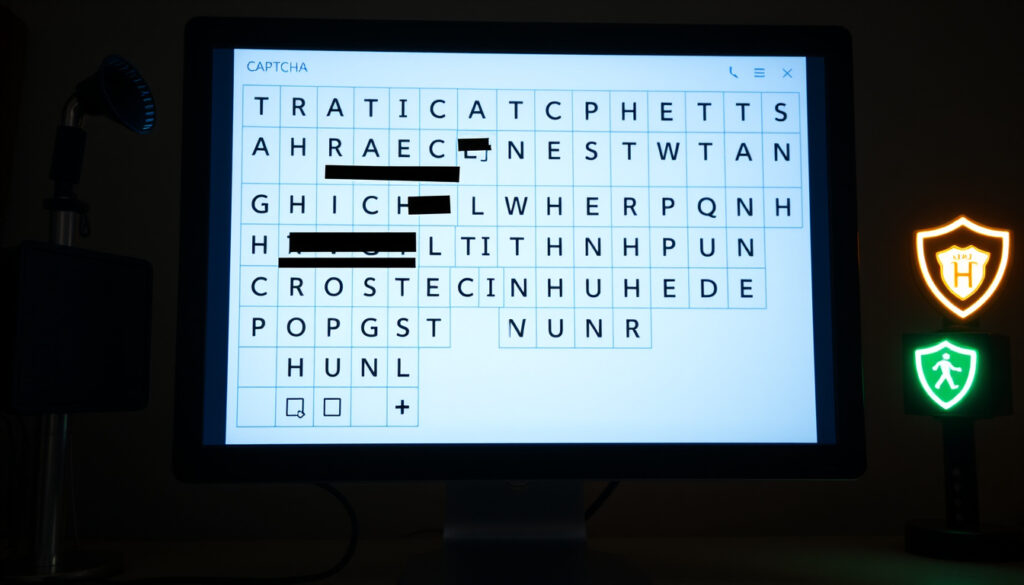
What Is a CAPTCHA Challenge Response? Meaning & Fixes
You’ve probably clicked “I’m not a robot” hundreds of times without a second thought. But scammers have turned that familiar checkbox into a trap — one that tricks people into downloading malware or handing over passwords without realizing what happened. The good news: once you know the patterns, it’s straightforward to spot the difference between a legitimate CAPTCHA and a fake one designed to compromise your system.
Full Form: Completely Automated Public Turing test to tell Computers and Humans Apart · Primary Purpose: Determine if user is human or bot · Common Use: Prevent spam and automated attacks · Origin: Challenge-response authentication · Key Providers: Cloudflare, Google reCAPTCHA
Quick snapshot
- CAPTCHA acronym and purpose from multiple sources (Northdoor)
- Lumma Stealer deployed via fake CAPTCHA clipboard scripts (Avast)
- ClickFix is a malvertising campaign using fake CAPTCHA pages (Vermont Federal)
- Exact victim count beyond “thousands” reported by Microsoft Security
- Technical breakdown of clipboard script payloads
- Regional variations in prevalence or tactics
- Microsoft reported CAPTCHA scams becoming increasingly sophisticated in recent months (Northdoor)
- APT28 (Fancy Bear) using fake CAPTCHAs for info-stealing malware (ReliaQuest)
- Scams proliferate rapidly, requiring adaptive defenses like blocking new domains (ReliaQuest)
- Organizations need employee training on spotting command prompts in CAPTCHAs (ReliaQuest)
The table below consolidates fundamental facts about CAPTCHA technology and its development.
| Label | Value |
|---|---|
| Invented By | Carnegie Mellon researchers |
| First Deployed | Early 2000s |
| Modern Versions | reCAPTCHA by Google |
| Success Rate | Over 99% human pass rate |
What Does CAPTCHA Challenge Mean?
A CAPTCHA challenge is a test designed to determine whether the user is a human or an automated bot. The acronym breaks down as Completely Automated Public Turing test to tell Computers and Humans Apart — a name that reflects its core purpose as an automated filter against machine-driven traffic. When a website presents a CAPTCHA, it’s asking you to prove your identity the old-fashioned way: by solving a problem that computers struggle with but humans find manageable.
What is the full form of CAPTCHA?
As noted, CAPTCHA stands for Completely Automated Public Turing test to tell Computers and Humans Apart. The concept draws from Alan Turing’s famous test of machine intelligence, though CAPTCHA inverts the goal — instead of determining if a machine can think like a human, it verifies that a human is present and not software attempting to automate a task. The system was developed by researchers at Carnegie Mellon University and first deployed in the early 2000s as spam and automated account creation became growing problems for websites.
What is a challenge-response test?
A challenge-response test works exactly as the name suggests: one party issues a challenge, and the other must provide the correct response to proceed. In the CAPTCHA context, the website issues the challenge (distorted text, image selection, checkbox) and the user responds. If the response matches what the system expects, access is granted. Modern versions from providers like Cloudflare and Google reCAPTCHA have refined this into invisible behavioral analysis that legitimate users never see, while still catching bots that exhibit telltale patterns.
How Do CAPTCHAs Work?
CAPTCHAs work by presenting tasks that are easy for humans but difficult for bots to solve. Early versions showed distorted text that bots struggled to read with optical character recognition, while humans could usually make out the letters. Today’s systems are more sophisticated, analyzing mouse movements, click patterns, and browsing behavior to determine human authenticity without requiring active user participation. The underlying principle remains the same: challenge the visitor, verify the response, and block or rate-limit suspicious traffic.
What types of CAPTCHA challenges exist?
Several CAPTCHA formats dominate the landscape today. Image selection tasks ask users to click all images containing specific objects — select all squares with traffic lights, crosswalks, or bicycles. This format, popularized by Google reCAPTCHA, leverages human visual recognition capabilities that fool neural networks designed for other purposes. Text-entry CAPTCHAs present distorted or overlapping characters that remain readable to humans but break automated text recognition. Audio CAPTCHAs provide sound recordings for accessibility, though these are also among the easier formats for sophisticated bots to decode.
How does CAPTCHA distinguish bots from humans?
Beyond active challenges, modern CAPTCHA systems analyze behavioral signals that differentiate human and bot traffic. Human users exhibit irregular mouse movements, varied timing between actions, and browsing patterns that reflect genuine attention. Bots, by contrast, often move cursors in straight lines, complete forms too quickly, and access pages in patterns that suggest automated scripts. Google’s invisible reCAPTCHA can achieve over 99% human pass rates by scoring these behavioral factors without interrupting the user experience at all.
Fake CAPTCHAs bypass detection by tricking users into running malicious scripts themselves, turning the human verification step into a malware delivery vector.
What Is an Example of a CAPTCHA?
You’ve encountered CAPTCHA examples everywhere online, probably without thinking twice. The “I’m not a robot” checkbox from Google is one of the most recognizable — click the box, and Google’s system analyzes your browsing history and behavior to decide whether to grant access. If the system detects suspicious patterns, it escalates to an image-selection challenge, asking you to identify crosswalks, storefronts, or vehicles in a grid of photographs.
What is a captcha challenge response example?
A typical CAPTCHA response involves solving the specific challenge presented. For image-selection tasks, you might click all nine squares containing storefronts, then submit your answers. For text-entry challenges, you type the characters shown in a distorted image — letters that overlap, have random lines through them, or appear partially obscured. The response is verified server-side, and either access is granted or a new challenge is presented. Legitimate CAPTCHAs never ask you to copy-paste scripts, run system commands, or download files as part of the verification process.
Common CAPTCHA formats
Beyond image and text challenges, common CAPTCHA formats include math problems (“solve: three plus four”), simple logic questions (“select all squares with an even number”), and slider puzzles where users drag a piece to complete an image. Mobile CAPTCHAs often present simpler challenges due to touchscreen input difficulties. Audio alternatives read out a series of numbers or letters that users type back, primarily serving accessibility needs but also providing a fallback when visual challenges fail to load.
Legitimate CAPTCHAs do not ask to copy-paste scripts, run commands, or download files. If they do, it’s a scam — close the tab immediately.
How to Fix CAPTCHA Challenge Failed?
When a CAPTCHA challenge fails repeatedly, the issue is usually environmental rather than the test itself. Browser settings, network configuration, or accumulated browser data can cause false positives that flag your session as suspicious. The fix typically involves clearing accumulated browser data, adjusting network settings, or testing through a different access method. Most failed CAPTCHA attempts resolve within minutes once the triggering factor is identified.
Why does CAPTCHA fail?
Several factors trigger repeated CAPTCHA failures. VPN connections and proxy servers often appear as bot behavior because automated systems frequently use these routes to obscure their origins. Heavy browser cache and cookies from multiple sites can create patterns that look programmatic. Browser extensions, particularly ad blockers or script blockers, sometimes interfere with CAPTCHA loading or submission. If you share a network IP with other users who run automated tools, their traffic can cause CAPTCHAs for everyone on that connection.
Steps to resolve incorrect CAPTCHA
- Clear browser cache and cookies, then restart the browser completely
- Disable VPN or proxy temporarily to see if the challenge resolves
- Try incognito or private browsing mode with extensions disabled
- Update your browser to the latest version
- Switch to a different browser or device to isolate the issue
- If on a shared network, try mobile hotspot as an alternative connection
- Whitelist the specific site in your ad blocker settings
The implication: most CAPTCHA failures stem from network reputation issues rather than individual behavior — if you’re flagged, switching your connection method often resolves it faster than troubleshooting settings.
Why Do I Keep Getting a CAPTCHA Error?
Persistent CAPTCHA errors usually indicate that something about your browsing environment has been flagged as suspicious by automated systems. High bot traffic from your network, unusual browsing patterns, or accumulated cookies from sites using aggressive anti-bot measures can all trigger repeated challenges. In some cases, the website itself has poor CAPTCHA configuration that generates excessive false positives. Rarely is it a fundamental problem with your device — more often it’s external factors being misinterpreted.
Reasons for frequent CAPTCHAs
Frequent CAPTCHAs stem from several environmental triggers. VPN usage ranks high among causes, as these services route traffic through IPs known for heavy bot activity. Automated browser testing tools, even those you’re not aware are running in the background, generate telltale patterns. Multiple failed login attempts on a site flag your session for extra scrutiny. Browser fingerprinting that reveals unusual configurations can also trigger challenges. Some websites deploy CAPTCHAs so aggressively that even regular users face challenges on every visit.
Dangers of fake CAPTCHAs
Fake CAPTCHAs represent one of the most effective attack vectors because they exploit trust in a familiar security mechanism. According to Microsoft Security, CAPTCHA scams have become increasingly sophisticated with thousands of victims in recent months. These scams typically redirect users to phishing pages mimicking legitimate sites to steal login details, or instruct users to copy-paste commands that execute malware via the clipboard. Advanced groups like APT28 (Fancy Bear) use fake CAPTCHAs for info-stealing malware campaigns, demonstrating how the technique has evolved from simple nuisance to serious threat.
The malware of choice usually deployed in these attacks is Lumma Stealer, a sophisticated information thief capable of stealing passwords, financial data, and personal information.
How to Protect Yourself from CAPTCHA Scams
Protection against CAPTCHA scams requires awareness of how legitimate challenges differ from malicious ones. Legitimate CAPTCHAs appear on expected sites, present simple tasks, and never ask for commands or downloads. Fake CAPTCHAs create urgency, appear in pop-ups on mismatched sites, and include instructions that feel off. If a CAPTCHA asks you to press Windows+R, paste code from the clipboard, or download anything — close the tab immediately and run a malware scan. Warning signs include spelling errors, grammar mistakes, urgency language, and URLs that don’t match the legitimate site.
- Stick to trusted sites and verify URLs before interacting with any CAPTCHA
- Update browser and security software regularly to catch known threats
- Use ad-blockers to prevent malicious CAPTCHA ads from appearing in the first place
- Access financial and sensitive sites via bookmarks to avoid redirect-based scams
- Never copy-paste scripts or run commands from CAPTCHA prompts
- Run regular malware scans even without obvious signs of infection
- Report suspicious CAPTCHAs to IT if on a work device
What this means: scammers are turning familiar “I’m not a robot” prompts into sneaky traps, tricking people into giving away personal info or downloading harmful malware without even realizing it.
How to Respond If You’ve Fallen for a CAPTCHA Scam
If you’ve already interacted with a fake CAPTCHA, quick action can limit the damage. Disconnect from the internet if malware execution has begun, backup critical files to an external drive, and consider whether factory reset is necessary for heavily compromised systems. Change passwords from a known-secure device, run comprehensive malware scans, and monitor financial statements for unauthorized activity over the following months. The specific response depends on what the fake CAPTCHA asked you to do — clipboard scripts require different remediation than downloaded files.
- Delete any downloaded files immediately without opening them
- Clear browser cache, cookies, and recently-added extensions
- Change passwords from a different, trusted device
- Run full malware scan with updated definitions
- Monitor financial accounts and credit reports for suspicious activity
- If heavily compromised: disconnect internet, backup files, and factory reset device
- Report the incident to relevant authorities if financial loss occurred
Why this matters: scams target saved credentials and reuse passwords across sites — a single compromised password can unlock multiple accounts if you fall into password reuse patterns.
Upsides
- Legitimate CAPTCHAs provide effective bot protection
- Modern reCAPTCHA achieves over 99% human pass rate
- Image-based CAPTCHAs remain robust against most automated attacks
- Invisible CAPTCHA reduces user friction while maintaining security
- Security awareness training can effectively prevent scam exposure
Downsides
- CAPTCHA frustration impacts legitimate user experience
- Fake CAPTCHAs exploit trust in the security mechanism
- Accessibility barriers remain for users with visual or hearing impairments
- Increasingly sophisticated scams bypass detection by using users as execution vectors
- VPN users face repeated challenges due to shared IP reputation
Expert Perspectives on CAPTCHA Security
“According to a recent report by Microsoft Security, CAPTCHA scams have become increasingly sophisticated in recent months, with thousands of users falling victim.”
— Northdoor (Cybersecurity Analysis)
“An increasing number of cybercriminals, including advanced threat actors like ‘APT28’ (aka Fancy Bear), are successfully employing these deceptive tactics to compromise both consumer and enterprise systems.”
— ReliaQuest (Threat Intelligence)
“Fake CAPTCHAs bypass detection by tricking users into running scripts themselves, fundamentally shifting the attack vector from automated exploitation to human manipulation.”
— McAfee Labs (Security Research)
Organizations face particular risk because employee training on spotting command prompts in CAPTCHAs is often overlooked — making human error the weakest link in otherwise robust security perimeters.
The CAPTCHA landscape has fundamentally shifted from a simple bot filter to an active attack vector. For everyday users, the lesson is straightforward: legitimate security challenges never ask you to execute commands or download files. For organizations, the implication is equally clear — investing in employee awareness training on these specific tactics matters more than the CAPTCHA system itself, because the human is now the entry point scammers are targeting.
What is CAPTCHA login?
CAPTCHA login refers to the verification step some websites add to their login process. After entering your credentials, you may face a CAPTCHA challenge before gaining access. This extra step prevents automated credential-stuffing attacks where bots try stolen username and password combinations across multiple sites. Most major services use this selectively based on login location, device, or suspicious behavior patterns.
What is my CAPTCHA code?
Your “CAPTCHA code” is the specific response you provide to a CAPTCHA challenge — whether that’s the characters you type from a distorted image, the images you select in a grid, or the checkbox you click. There’s no universal code; each challenge generates its own answer that you must solve correctly. Some people mistakenly call the entire CAPTCHA challenge a “code,” but it’s really a test where you generate the answer through your response.
What are common CAPTCHA test types?
Common CAPTCHA test types include image selection (click all squares with crosswalks), text entry (type distorted characters), checkbox verification (“I’m not a robot”), slider puzzles (drag to complete an image), audio challenges (type spoken numbers), and math problems. Modern systems like Google’s invisible reCAPTCHA analyze behavior passively without presenting any active challenge to most users.
How have CAPTCHAs evolved?
CAPTCHAs have evolved from simple distorted text in the early 2000s to sophisticated behavioral analysis today. Early versions relied on OCR difficulty, but AI improvements made text-based CAPTCHAs obsolete. Image recognition challenges replaced them, followed by invisible scoring systems that analyze hundreds of behavioral signals. The evolution continues as AI capabilities advance — creating an ongoing arms race between CAPTCHA providers and automated solvers.
What accessibility options exist for CAPTCHA?
Accessibility options include audio CAPTCHA for users with visual impairments, keyboard-only navigation for those who cannot use mice, and alternative challenges like math problems for users with cognitive disabilities. Google’s reCAPTCHA offers an audio option that reads numbers aloud. However, accessibility remains an area where many CAPTCHA implementations fall short, creating barriers for users with disabilities.
What are alternatives to traditional CAPTCHA?
Alternatives include honeypot fields (hidden form fields that only bots fill out), behavioral biometrics that analyze typing rhythm and mouse movement, device fingerprinting, and risk-based authentication that increases scrutiny only when behavior seems suspicious. Some sites use SMS or email verification codes instead of CAPTCHA, though these add friction and create their own privacy considerations.
How do CAPTCHAs work on mobile devices?
Mobile CAPTCHAs adapt to touchscreen input with simplified challenges like single-checkbox verification or image selection in smaller grids. Behavioral analysis plays a larger role on mobile since visual challenges are more difficult on smaller screens. Some mobile apps use device-based authentication (this device is recognized) rather than active CAPTCHA challenges. Touch interaction patterns differ enough from mouse movements that mobile-specific detection systems have emerged.
Related reading: What Is Smart Casual – Attire Guide for Men and Women · Aviation Accident and Incident – Key Differences Explained
guard.io, nasb.com, secureitworld.com, malwarebytes.com, learn.microsoft.com, tilburguniversity.edu, idtheftcenter.org
CAPTCHA challenge responses rely on clever tests to distinguish humans from bots, as this CAPTCHA mechanisms guide thoroughly explains with examples and solutions.
More related posts
 Bao Er Cafe Holland Village: New Outlet Menu & Hours
 COVID-19 Vaccine Ireland: Types, Boosters & HSE Guide 2025
 What Time Does McDonald Breakfast End? Irish Hours & FAQ
 Japan Tax Refund 2025: New Rules & How to Claim
 LG Service Centre Singapore: Phone, Locations & Repairs
 Best Singapore Gifts for Overseas Friends: Top Souvenirs
 Gardens by the Bay MRT: Walking Routes & Station Guide
 Sands China Share Price: Quote, Targets & Analysis