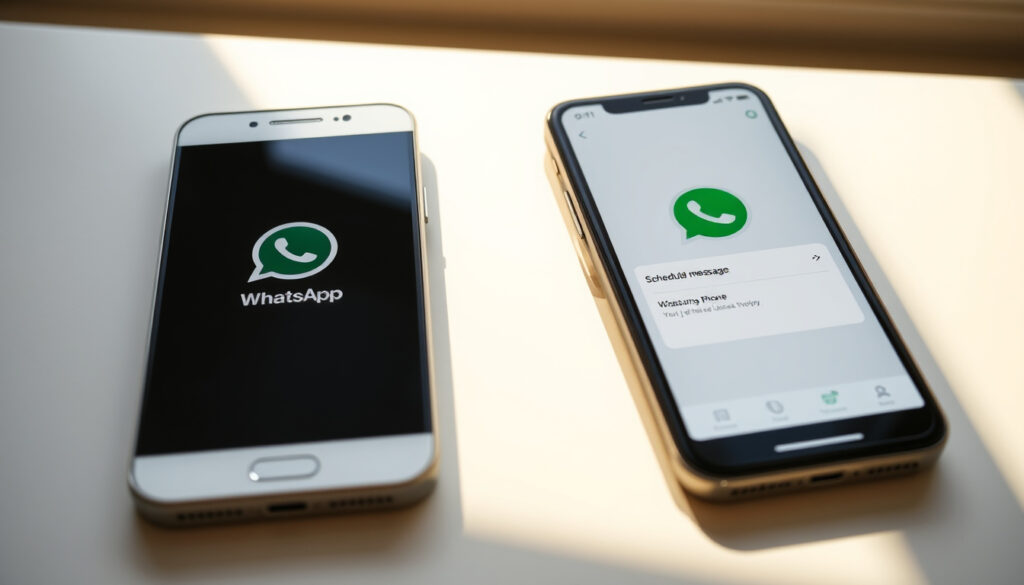
Can WhatsApp Schedule Messages? Android & iPhone Guide
If you’ve ever wished you could write a message now and have it delivered at the perfect moment later, you’re not alone. Message scheduling is one of WhatsApp’s most-requested features, but the reality across Android, iPhone, and desktop is messier than you might expect. The good news? Some options actually work without downloading anything extra. Here’s what works, what doesn’t, and what to expect next.
Native scheduling available: Android since late 2025 · iPhone method: Shortcuts app for automation · Away messages scheduling: Built-in via WhatsApp Tools tab · Web/Desktop: No native scheduling · Business support: Schedule messages in WhatsApp Business
Quick snapshot
- Native Android scheduling shipped since March 21, 2024 (The Verge)
- WhatsApp Business on Android has had scheduling since November 2023 (WhatsApp Business FAQ)
- No native scheduling exists on iOS as of 2026 (WhatsApp Official FAQ)
- Exact iOS native rollout date, if one is planned (Meta Newsroom)
- Whether group chat scheduling will ever be supported (Android Police)
- Android beta first tested scheduling on October 25, 2023 (WABetaInfo)
- CEO Will Cathcart confirmed rollout via X post on March 20, 2024 (Will Cathcart X)
- iPhone users still rely on Apple Shortcuts workaround (Apple Shortcuts Guide)
- WhatsApp Web and Desktop lack scheduling entirely (WhatsApp Web FAQ)
| Feature | Status |
|---|---|
| Native Scheduling | Android only (since November 2023) |
| iOS Tool | Shortcuts app workaround |
| Official Feature | Away messages via WhatsApp Business |
| Web/Desktop | No scheduling support |
Can you schedule a text on WhatsApp?
Yes — but only on Android. WhatsApp added native message scheduling to stable Android versions in March 2024, starting with version 2.24.8.85 (XDA Developers). The feature works on a simple long-press menu: hold the message, tap the clock icon, and pick your send time. India beta testers were the first to get access back in November 2023, with rollout expanding globally through server-side updates that reached about 30% of users by April 2024 (WABetaInfo).
Native scheduling availability
The feature supports one-time and recurring messages, though only in 1:1 chats — group chats and broadcast lists are excluded. Attachments can’t be scheduled natively either, which limits its utility for business users who need to send media on a timer (CNET). The interface uses a straightforward “Schedule a message” option in the attachment menu, and recipients see no indication that a message was scheduled in advance (Tom’s Guide).
Battery optimization can silently block scheduled messages on Android. If WhatsApp gets force-stopped by your phone’s memory manager, scheduled sends may simply not happen — which means your birthday message arrives three days late instead of at midnight.
Away messages as alternative
WhatsApp Business users get a more powerful scheduling option through Away Messages, accessible via the Tools tab. This feature lets businesses set automatic replies for times when they’re unavailable — similar to an email out-of-office reply. The feature works on Android and iOS for WhatsApp Business accounts and requires no third-party tools (WhatsApp Business FAQ).
For regular personal accounts on iOS, there is no built-in scheduling — full stop. The official WhatsApp FAQ confirms iOS users lack this capability, with no announcements from Meta confirming when or if it will arrive (WhatsApp Blog).
How can I schedule a WhatsApp message on my iPhone?
Apple Shortcuts is your only option for iPhone scheduling without a third-party app. The workaround requires iOS 17 or later and involves creating an automation that mimics a scheduled send — though it’s not true native integration, meaning your phone needs to run the shortcut at the right moment, and it requires the Shortcuts app to have permission to access WhatsApp (Apple iOS Support). The setup involves telling Shortcuts to open WhatsApp, paste your message text, and send it — but this method opens WhatsApp briefly on screen, which isn’t a perfectly silent background operation.
Using Shortcuts app
The Shortcuts workaround has been available since iOS 12 introduced automations, but it gained wider attention when WhatsApp scheduling became a mainstream request. Users create a Personal Automation in the Shortcuts app, set a trigger time, and configure the action to send a message through WhatsApp’s share sheet or direct URL scheme. The limitation is that it works only when your phone is unlocked and the automation can execute — background restrictions on iOS can prevent fully silent sends (MacRumors).
According to 9to5Mac, iOS WhatsApp betas through 2025 showed no native scheduling, and Meta has not announced any official roadmap for iPhone users as of 2026 (9to5Mac).
WhatsApp CEO Will Cathcart confirmed the Android rollout in March 2024 via X post, calling it a “highly requested feature” — but notably made no mention of iOS plans, leaving iPhone users in the lurch for the foreseeable future.
Without Shortcuts methods
Third-party apps exist but carry serious risks. Apps like SKEDit violate WhatsApp’s terms of service, and using them can result in temporary or permanent account bans (WhatsApp Terms FAQ). The automation happens through WhatsApp’s API in ways that technically breach the platform’s rules, even if they sometimes work for a while before detection.
Can WhatsApp schedule message on Android?
Android has native scheduling built into the personal WhatsApp app — no business account required. The feature shipped to stable users gradually starting March 21, 2024, enabled server-side for a portion of users before a full rollout. By May 2024, stable version 2.24.8.85 included the feature as a standard capability (Android Authority). Accessing it is straightforward: in any 1:1 chat, long-press the text field, type your message, then look for the small clock icon that appears before sending. Tap it, set your time, and the message sits in a queue until delivery.
Native Android scheduling
The native feature handles one-time scheduled sends and works across all chat types within individual conversations — though group chats and status broadcasts remain unsupported. India was the first region to see the feature during beta testing in November 2023, with global rollout following several months later (Times of India). The rollout was deliberately gradual, with server-side toggles allowing WhatsApp to test reliability before enabling all users.
Without third-party apps
You don’t need any third-party apps on Android — the feature lives directly in WhatsApp’s interface. However, there’s one caveat: Google Messages (Android’s default SMS app) can schedule SMS texts, but that’s completely separate from WhatsApp chat messages. Some users confuse the two, thinking their phone can schedule WhatsApp messages automatically — it can’t unless WhatsApp’s own feature is active (Google Messages Help). Users on Samsung, Pixel, and other Android phones all get the same native scheduling once their WhatsApp version is updated.
How to schedule WhatsApp messages without any app?
Two legitimate paths exist: native scheduling on Android, or WhatsApp Business Away Messages on either platform. For Android personal accounts, the native feature is built directly into the app with no extra downloads. For WhatsApp Business users on Android or iOS, the Tools tab offers Away Messages that automatically send at configured times or when you’re offline. Neither method requires third-party apps, though neither covers every use case perfectly.
Built-in tools
WhatsApp’s built-in tools vary by platform. Android personal accounts get full message scheduling through the long-press menu. WhatsApp Business users get Away Messages, which are configured via Settings → Business Tools → Away Message. You set your unavailable hours and the auto-reply text, and WhatsApp sends it whenever someone messages during that window — whether you’re asleep, in a meeting, or simply offline (WhatsApp Business FAQ).
Platform-specific workarounds
For iPhone users, the Apple Shortcuts workaround is the only official automation path that doesn’t risk a ban. Android users who want more control might consider WhatsApp Business instead, which offers more scheduling-related features than the personal app. Web and Desktop users are out of luck — WhatsApp Web has no scheduling whatsoever, and the desktop app mirrors the mobile limitations rather than adding new capabilities (WhatsApp Web FAQ).
WhatsApp Business schedule message
WhatsApp Business has had scheduling support longer than the personal app — the Business version introduced Away Messages with scheduling functionality in November 2023, nearly four months before the personal app caught up. Business users on Android can also use standard message scheduling for individual chats, not just auto-replies, and the app includes additional tools like product catalogs and automated responses that complement scheduling (WhatsApp Business FAQ).
Business app features
The Business app’s scheduling revolves around Away Messages rather than individual message queuing. You configure when your business is “open” versus “closed,” and WhatsApp automatically sends your configured away message to anyone who contacts you during closed hours. This is ideal for businesses that want to manage customer expectations rather than timing marketing messages. The feature also works across iOS and Android, making it the most portable scheduling option for businesses operating across device types.
Web and Desktop scheduling
WhatsApp Web and the desktop app do not support scheduling — not even for Business accounts. The web interface and desktop client lack the feature entirely, though they do support other Business tools like labels and catalogs. This means if you manage a business from your computer, you still need to pull out your Android phone to actually schedule messages. TechCrunch confirmed the feature remains absent from WhatsApp Web as of the most recent coverage, with no public roadmap to add it (TechCrunch).
Android users with personal accounts got native scheduling first — but WhatsApp Business users across both platforms have had scheduling via Away Messages since late 2023. If you’re a business user on iPhone, that’s your built-in option.
How to schedule WhatsApp messages step by step
The exact steps differ between platforms. Android personal accounts have the smoothest experience, while iPhone requires the Shortcuts workaround. Here’s what to actually do.
Android (personal app)
- Open any 1:1 chat in WhatsApp
- Tap the text input field and type your message
- Long-press the send button (or look for the clock icon that appears)
- Select your desired send date and time
- Tap confirm — your message appears as “Scheduled” in the chat until it sends
To cancel a scheduled message before it sends, long-press it in the chat and select “Delete” or tap the X. You cannot edit a scheduled message after queuing it — you must delete and reschedule.
iPhone (Shortcuts workaround)
- Open the Shortcuts app and tap the “+” to create a new automation
- Select “Time of Day” as the trigger and set your desired send time
- Add the action “Open App” and select WhatsApp
- Add the action “Create New Text” with your message content
- Add the action “Paste” then trigger WhatsApp’s share or URL scheme to send
The iPhone method is finicky — it works best when your phone is charging and unlocked, and some users report the automation only fires reliably when Shortcuts has “Full Access” enabled in settings. The experience is nowhere near as seamless as Android’s native feature.
WhatsApp Business (iPhone and Android)
- Open WhatsApp Business and tap Settings (or Business Tools)
- Select “Away Message” and toggle it on
- Write your away message text
- Set your business hours for each day of the week
- Save — messages are automatically sent during closed hours
WhatsApp Business also lets you set a default message for new conversations, which isn’t quite scheduling but can create a similar effect for inbound customer queries during your off-hours.
Confirmed
- Android personal app has native scheduling since November 2023
- WhatsApp Business Away Messages work on iOS and Android
- Scheduling limited to 1:1 chats, no groups or broadcasts
- No attachments can be scheduled natively
- WhatsApp Web has no scheduling capability
- Third-party scheduling apps violate WhatsApp terms
Unclear
- iOS native scheduling rollout timeline
- Whether group chat scheduling will be added
- How reliable scheduled sends are across device restarts
- Whether WhatsApp will add attachment scheduling in future updates
“WhatsApp now lets you schedule messages on Android — one-time or recurring.”
— Dieter Bohn, The Verge
“This feature has been highly requested by users for years.”
— Will Cathcart, WhatsApp CEO, Will Cathcart X
The pattern across platforms is clear: Android users won scheduling first, and iPhone users are still waiting. WhatsApp Business users have a functional workaround through Away Messages regardless of their device, but it serves businesses differently than true message queuing serves individual users. The gap between Android native support and iOS abandonment is a real frustration for users who switch between platforms or manage multiple devices — and it remains one WhatsApp shows no urgency to close.
For Android users, the feature works as advertised and requires no extra effort beyond updating your app. For iPhone users, the Shortcuts workaround exists but demands technical comfort and acceptance of a janky experience. For businesses, WhatsApp Business’s Away Messages fill the gap for automated responses, though not for timed marketing sends.
Related reading: Batam Fast Ferry Schedule 2026 · Singapore Payout Dates 2025 Schedule
johnguerra.co, cypherlearning.com, mysmartjourney.com, americas.hsmai.org, beetrootacademy.com, unesdoc.unesco.org, homeworkforyou.com, networkcultures.org
Android users have native WhatsApp scheduling since 2024, while iPhone setups use step-by-step scheduling guide via Shortcuts for seamless results.
Frequently asked questions
Is there a way to delay sending a message on WhatsApp?
On Android, yes — long-press your message and tap the clock icon to schedule it. On iPhone, no native delay exists; you must use the Apple Shortcuts workaround, which is less reliable. WhatsApp Business users can set Away Messages to auto-reply during closed hours, which acts as a form of delayed response.
Can I set a time for a WhatsApp message?
Yes on Android — the built-in scheduler lets you pick exact dates and times down to the minute. On iPhone via Shortcuts, you set a trigger time, but the automation’s execution isn’t guaranteed to be instant. WhatsApp Business Away Messages work on scheduled hours rather than specific times.
How do I automatically send WhatsApp messages at a certain time?
Android’s native scheduler does this automatically once you queue the message. iPhone users automate via Apple Shortcuts (set a time trigger, configure WhatsApp actions). WhatsApp Business users rely on Away Messages, which send automatically during configured closed hours. None of these options send messages truly silently in the background on iOS.
How to use away messages?
WhatsApp Business only. Open Settings → Business Tools → Away Message, toggle it on, write your message, and set your business hours. Messages send automatically to anyone who contacts you during those hours. Regular personal WhatsApp accounts don’t have this feature.
Can you schedule WhatsApp Web message?
No. WhatsApp Web and the desktop app have no scheduling capability whatsoever — this applies to both personal and Business accounts. You must use your Android phone or a workaround on iPhone instead.
How to schedule messages in WhatsApp Business?
WhatsApp Business uses Away Messages rather than true scheduled queuing. Set it via Settings → Business Tools → Away Message, configure your hours and message, and WhatsApp handles the rest automatically. Standard personal WhatsApp scheduling (available on Android) does not require a Business account.
Can WhatsApp schedule texts?
WhatsApp cannot schedule SMS texts — that’s a phone system feature, not a WhatsApp feature. It can schedule its own in-app messages on Android. Google Messages (Android’s default SMS app) can schedule SMS independently, but that’s unrelated to WhatsApp chats.
More related posts
 Letscool Aircon and Services Reviews: Complaints & Ratings
 Springleaf Residence Floor Plan Guide 2025
 Brian Wong Shi Xiang Sentenced: Megan Khung Case
 How to Vote 2025: Irish Presidential Election Guide
 Great Eastern Home Insurance: Reliability, Coverage & Claims
 Các Kiểu Tóc Đi Tiệc Sang Trọng: Party Hairstyles Guide
 Coffee Bean and Tea Leaf: Owner, Origin, Menu & Deals
 Singapore Currency to India: SGD to INR Rates Guide