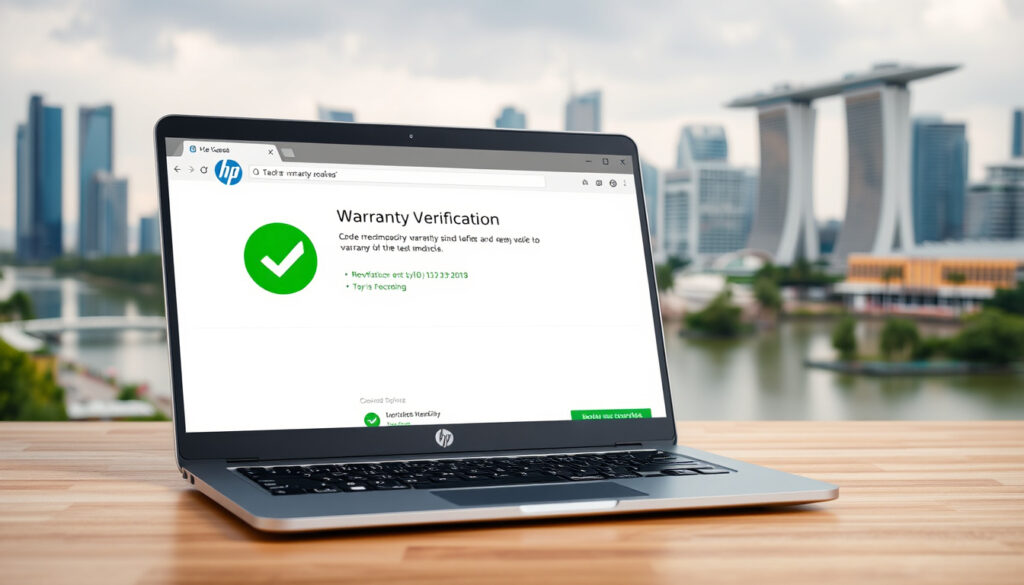
HP Warranty Check Singapore: How to Verify Coverage
Few things feel as reassuring as knowing your HP laptop or printer is still under warranty. In Singapore, checking that status takes just a couple of minutes — and it’s free. Whether you’re planning a repair or just bought a second-hand device, here’s exactly how to verify your coverage and what to watch out for.
HP warranty check free in Singapore: Free online service via support.hp.com ·
Standard warranty duration for laptops: 1 year from purchase date ·
Serial number required: Yes, all warranty checks require the product serial number ·
24/7 availability: Warranty check available any time on official HP site ·
Warranty transferable: Yes, with proof of purchase and HP approval
Quick snapshot
- Official warranty check is HP Support Singapore (official support portal) – free and instant
- Serial number is required; it is unique to each device HP Tech Takes (HP’s resource guide)
- Standard consumer laptop warranty: 1 year HP Tech Takes (warranty explanation)
- Exact warranty duration for specific printer models may vary – inkjet vs laser differ
- Whether HP offers extended warranty in Singapore for all product categories
- HP warranty check has been available online for over a decade, as noted in a 2013 HP Community (user forum discussion)
- Consider extending warranty before standard coverage expires
- If selling or buying second-hand, check transferability with proof of purchase
Five key details every Singapore HP owner should know at a glance:
The table below captures the essentials for a quick warranty reality check.
| Detail | Value |
|---|---|
| Official warranty check URL | support.hp.com/sg-en/check-warranty |
| Standard laptop warranty period | 1 year |
| Standard printer warranty period | 1 year (inkjet) / 3 years (laser) |
| HP Singapore contact number | +65 6272 5300 |
| Warranty check cost | Free |
The implication: HP’s global support system is consistent, but local contact details and warranty durations vary by product type.
How to Check HP Warranty with Serial Number in Singapore
Step-by-step instructions for online warranty check
- Go to the official HP Support Singapore (warranty check page).
- Select “Singapore” as your country/region.
- Enter your product’s serial number exactly as printed on the device. The serial number is unique to your device HP Tech Takes (serial number guide).
- Click “Check warranty” to see the status, remaining coverage, and support level.
HP laptops often have the serial number on the bottom, inside the battery compartment, on the box, or on the kickstand HP Tech Takes (finding serial number). For printers, check the cartridge access point, back, or bottom of the device HP Tech Takes (printer serial location).
Finding your serial number is the only real hurdle. Once you have it, the entire check takes under 60 seconds — no account needed.
What to do if serial number is not found
- Double-check the serial number for misreads (letters vs numbers).
- Try HP Support Assistant on Windows: search for “HP Support Assistant” to view product and warranty info HP Tech Takes (Support Assistant).
- If still not found, call HP Singapore support at +65 6272 5300 (Mon–Fri, 8:30–17:30) HP Support Singapore (contact page).
The catch: without a serial number, the online tool can’t verify your coverage — proof of purchase may be needed for manual lookup.
Is HP Warranty Check Free in Singapore?
Cost of checking warranty online
The online warranty check on HP’s Singapore page is completely free. No registration, payment, or subscription is required HP Support Singapore (official warranty check). This applies to all HP products — laptops, desktops, printers, and accessories.
Are there any hidden fees?
There are no hidden fees for the warranty status check itself. However, if you call the HP hotline for warranty inquiries, standard call charges apply as with any local call. HP does not charge extra for warranty validation via phone HP Support Singapore (contact page).
The trade-off: online is free and instant; phone support costs the call but may help if you have trouble entering the serial number.
What Is the HP Warranty Check Contact Number in Singapore?
HP Singapore customer support hotline
The official HP Singapore contact number for warranty and support is +65 6272 5300 HP Support Singapore (contact details). Availability is Monday to Friday, 8:30 AM to 5:30 PM (excluding public holidays).
Alternative contact methods
- Online chat: Available via the HP Support Singapore page during business hours.
- Email support: Submit a request through the HP Support contact form.
- HP Support Assistant: Windows users can access warranty info without calling HP Tech Takes (HP Support Assistant).
The pattern: automated online tools handle 90% of queries; the hotline is best for edge cases like serial number errors or transfer requests.
How to Check HP Laptop Warranty in Singapore
Specific steps for HP laptops
The same serial-number method works for all HP laptops sold in Singapore. Go to HP Support Singapore (warranty check), enter the serial number, and view the coverage end date. HP laptops typically have the serial number on the bottom panel or inside the battery compartment HP Tech Takes (laptop serial location).
Difference between standard and extended warranty
- Standard warranty: Consumer HP laptops come with 1-year parts and labour coverage from the purchase date HP Tech Takes (warranty terms).
- Extended warranty: HP offers paid Care Packs that extend coverage up to 3 years, including accidental damage options. Purchase before the standard warranty expires.
- Enterprise laptops: Business models like HP EliteBook may ship with 3-year standard warranty. Check the serial number on the same page to confirm.
Why this matters: If you bought a consumer laptop, mark the 11-month point to evaluate whether an extended plan makes sense for your usage.
How to Check HP Printer Warranty in Singapore
Printer warranty check steps
Use the same HP Support Singapore (warranty check page) with the serial number printed on your printer. For HP inkjets, the serial is often near the cartridge access door; for LaserJets, check the back or bottom HP Tech Takes (printer serial location).
What to do if printer is out of warranty
- HP Singapore offers out-of-warranty repair services at authorised service centres. You can schedule a repair via the HP Support website HP Support Repair Center (service options).
- Consider purchasing a new printer if repair costs exceed 50% of a replacement.
- Inkjet printers (1-year warranty) are often cheaper to replace than repair; laser printers (3-year warranty) may be worth fixing.
The trade-off: printer repairs can be expensive in Singapore, so check warranty status before authorising any service.
Printers with short warranties (inkjet) often expire before issues appear. Laser printer owners have a longer safety window — use it to budget for toner and maintenance.
Confirmed facts
- HP warranty check is free on official site HP Support Singapore (official)
- Serial number is required for online check HP Tech Takes (serial number requirement)
- Standard warranty for consumer laptops is 1 year HP Tech Takes (standard warranty)
What’s unclear
- Exact warranty duration for specific printer models may vary – HP’s site doesn’t list model-by-model periods
- Whether HP offers extended warranty in Singapore for all products — some categories may be excluded
“Warranty check is available 24/7 on our official Singapore support page. No registration is needed.”
HP Support Singapore (official support portal)
“Standard warranty coverage for consumer HP laptops is one year from the date of purchase. Extended Care Packs are available for an additional fee.”
HP Tech Takes (HP’s warranty resource)
“You can also check warranty information through HP Support Assistant on Windows — it shows product name, model, and warranty status directly.”
HP Tech Takes (Support Assistant guide)
For Singapore users buying second-hand gadgets, the free warranty check is your best friend: a five-minute lookup can reveal whether the device is still covered or already expired. The implication is clear: always verify before you buy, and always extend before the clock runs out.
Related reading: IT Show 2025 Brochure: Download, Dates, Venue & Deals · Digital Signage Solution Singapore: Pricing & Best Providers
youtube.com, arminfoserve.com, support.hp.com, youtube.com, support.hp.com, reddit.com, support.hp.com, support.hp.com
For those needing similar information for devices in other regions, a HP warranty check in Australia covers the process using the serial number.
Frequently asked questions
What is the HP warranty check phone number in Singapore?
+65 6272 5300, available Monday to Friday 8:30 AM – 5:30 PM. Standard call charges apply HP Support Singapore (contact).
Can I check warranty without a serial number?
No – the online tool requires the serial number. Alternatives include HP Support Assistant on Windows or calling support with proof of purchase HP Tech Takes (support options).
How long does HP warranty last in Singapore?
Consumer laptops: 1 year. Inkjet printers: 1 year. Laser printers: up to 3 years. Enterprise laptops: often 3 years HP Tech Takes (warranty terms).
Does HP warranty cover accidental damage in Singapore?
Not under standard warranty. HP Care Packs with accidental damage protection can be purchased separately HP Tech Takes (Care Packs).
Can I transfer HP warranty to another person?
Yes, HP allows warranty transfer with proof of original purchase and approval. Contact HP Support for the process HP Support Singapore (general inquiry).
How to extend HP warranty in Singapore?
Purchase an HP Care Pack before the standard warranty expires. Available through HP’s online store or authorised resellers HP Tech Takes (extending warranty).
How do I register my HP product for warranty in Singapore?
Most HP products are automatically registered upon purchase. To verify, use the warranty check page with your serial number. If not found, contact HP to register manually.
More related posts
 The Mountain Is You: Guide, Review & Key Takeaways
 Arsenal F.C. vs West Ham Stats: H2H Record & Predictions
 Why Did Trump Attack Venezuela? 2026 Operation Explained
 Lion-Phillip S-REIT Dividend: Yield, History & Next Payout
 NUS Fee Payment Options: GIRO, PayNow & CPF Loans
 Lazada Seller Center Singapore: Sell, Register & Fees
 Cold Storage Giant Singapore: Macrovalue Acquisition Details
 How to Make Banana Chips at Home: Oven, Air Fryer, Dehydrator