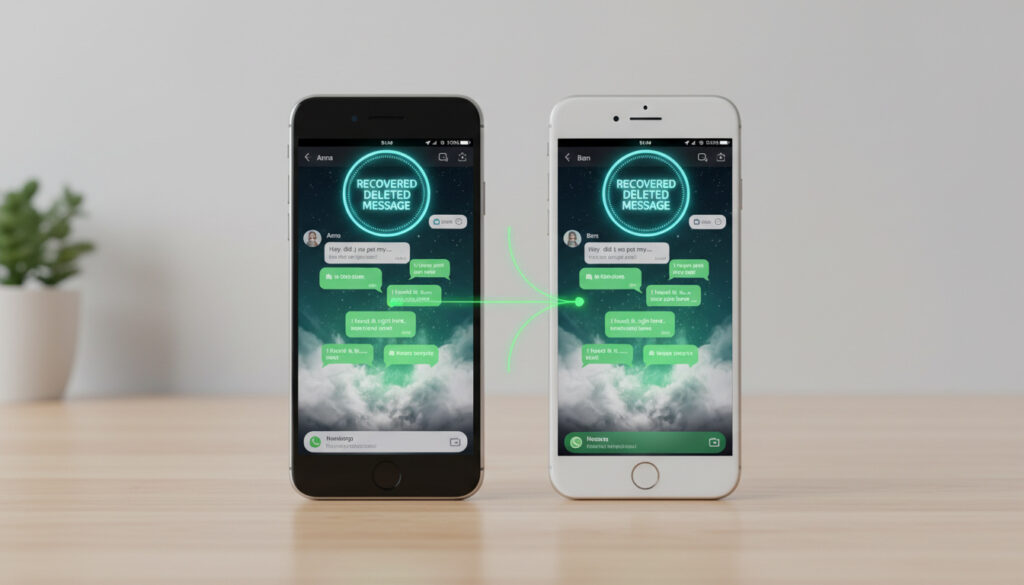
How to Retrieve Deleted WhatsApp Messages – Android & iPhone Guide
Accidentally deleting critical WhatsApp conversations triggers immediate concern for the platform’s global user base. Unlike conventional text messaging, WhatsApp’s end-to-end encryption architecture places the entire burden of recovery on the user, with the company maintaining no accessible server copies of deleted content.
Success depends almost exclusively on backup configurations established before deletion occurs. Recovery without a backup is highly unlikely on both platforms, particularly on iPhone where iOS architecture prevents user access to WhatsApp’s encrypted database.
This investigation examines verified restoration methods for Android and iOS, distinguishing between official backup protocols, platform-specific architectural differences, and the documented limitations of third-party recovery software.
How Do I Recover Deleted WhatsApp Messages?
Backup Restoration
Android & iOS
High with existing backup
5-10 minutes
- Official restoration requires prior configuration of Google Drive on Android or iCloud on iOS
- Android maintains local database files independent of cloud backups
- iOS sandboxing prevents direct user access to message databases without iCloud
- The “Delete for Everyone” function permanently removes messages from servers
- Third-party recovery applications offer no guarantees and may introduce security vulnerabilities
- Immediate cessation of device activity improves recovery chances before data overwriting occurs
| Fact | Details |
|---|---|
| Backup Required? | Yes for guaranteed recovery |
| WhatsApp Official Support | No server-side recovery possible |
| Android Storage Location | /sdcard/WhatsApp/Databases/msgstore.db |
| iOS Local Access | Not available due to sandboxing |
| Success Rate (No Backup) | Highly unlikely |
| Encryption Standard | End-to-end (prevents provider access) |
| Recovery Window | Before new data overwrites storage sectors |
| Primary Risk Factor | Continued device use post-deletion |
Can You See Deleted Messages on WhatsApp?
The Limits of “Delete for Everyone”
The “Delete for Everyone” feature does not enable message recovery—it only removes messages from recipients’ devices within the deletion window. The function operates as a recall mechanism rather than an archiving tool, permanently erasing content from WhatsApp’s servers once the deletion window expires.
Notification History Workarounds
Certain Android devices retain notification content in system logs for limited periods. Users may access this through Settings > Notifications > Notification History on supported devices. Third-party notification preservation applications exist, though these require installation prior to message deletion and cannot reconstruct full conversation threads.
Once “Delete for Everyone” executes successfully, the message is permanently removed from WhatsApp servers. No official channel exists to retrieve content erased through this function.
How to Recover Deleted WhatsApp Messages on Android?
Google Drive Restoration Protocol
The primary recovery method requires uninstalling WhatsApp, then reinstalling from the Google Play Store. During verification, the application automatically detects compatible Google Drive backups and prompts restoration. Only the most recent backup is restored. If a new backup was created after the messages were deleted, those messages are permanently lost.
Local Database Access
Android devices maintain local backups in a hidden “Databases” folder independent of Google Drive backups. Users may locate the msgstore.db file within internal storage. Reinstalling WhatsApp allows it to detect and restore from the local backup file when prompted, provided the database remains uncorrupted.
Stop using your phone immediately after deletion to minimize data overwriting. Each notification, photo, or app activity further reduces already minimal recovery chances.
Users seeking additional Android-specific guidance should review methods to Recover deleted WhatsApp messages through official channels.
How to Recover Deleted WhatsApp Messages on iPhone?
iCloud Backup Dependencies
iPhone offers no user-accessible database or local backups due to iOS sandboxing. Without an iCloud backup, manual recovery is virtually impossible. The process requires deleting and reinstalling WhatsApp; the application will prompt restoration from the most recent iCloud backup. Official WhatsApp documentation confirms this process.
Third-Party Software Constraints
Specialized software like Dr.Fone, iMobie, or Tenorshare may offer recovery as a last resort. Third-party recovery software attempts to scan iCloud data or physical device storage for fragmented, unoverwritten data. User reports indicate mixed results, with some experiencing no successful recovery even with third-party applications.
iOS security design intentionally prevents apps from accessing each other’s data. This sandboxing protects user privacy but eliminates local file recovery options available on Android.
For a comprehensive comparison of cross-platform limitations, see Recovering Deleted WhatsApp Messages Without Backup: Android and iPhone. For a comprehensive comparison of cross-platform limitations, see Recovering Deleted WhatsApp Messages Without Backup: Android and iPhone, and learn how to create strong password. create strong password
What Is the Step-by-Step Recovery Timeline?
- Deletion Event: Message removal occurs either individually or via “Delete for Everyone”
- Backup Verification: Check Google Drive (Android) or iCloud (iOS) for most recent save timestamp
- Restoration Execution: Uninstall and reinstall WhatsApp to trigger backup detection
- Data Verification: Confirm message presence before creating new backups
Can WhatsApp Recover Deleted Messages?
| Established Information | Information That Remains Unclear |
|---|---|
| Backup restoration is the only reliable method | Exact timeframe before data overwriting occurs |
| “Delete for Everyone” is permanent and irreversible | Success rates of specific third-party tools |
| Android allows local database access | Effectiveness of notification history apps |
| iOS requires iCloud for any recovery | Whether WhatsApp retains server copies temporarily |
| Recovery success rates are “highly unlikely” without backup | Specific conditions that allow third-party success |
Why Does WhatsApp Limit Message Recovery?
The application’s end-to-end encryption protocol ensures that only conversation participants can read message content. WhatsApp itself cannot access communications, creating an inherent technical barrier to server-side recovery. This privacy-by-design architecture prioritizes security over convenience, preventing the company from retrieving deleted content even under legal request.
Third-party recovery tools often require users to disable security features or grant extensive permissions, potentially exposing devices to malware or data breaches. The tension between user privacy and recovery capabilities remains unresolved in the platform’s development roadmap.
Official Sources and Verification
“WhatsApp cannot recover deleted messages for you. If you have created a backup before the messages were deleted, you may be able to restore them.”
Summary
Retrieving deleted WhatsApp messages remains possible only through preemptive backup configurations on Google Drive or iCloud. Android users retain marginal recovery options through local database files, while iOS users face near-total dependency on iCloud backups due to system architecture restrictions. Recovering Deleted WhatsApp Messages Without Backup: Android and iPhone remains improbable, underscoring the necessity of enabling automatic daily backups before deletion events occur.
Frequently Asked Questions
How to backup WhatsApp?
On Android, open WhatsApp > Settings > Chats > Chat backup > Back up to Google Drive. On iPhone, Settings > Chats > Chat Backup > Back Up Now to iCloud. Enable automatic daily backups for protection.
Is there a way to recover WhatsApp messages after delete for everyone?
No. Once “Delete for Everyone” executes, the content is permanently removed from WhatsApp servers and recipient devices. Recovery is impossible unless the message existed in a prior backup.
What happens when you delete WhatsApp messages?
Individual deletion removes messages from your device only. “Delete for Everyone” removes them from all devices in the conversation within 48 hours. Neither action affects existing backups.
Can I recover deleted messages without uninstalling WhatsApp?
No. The restoration process requires uninstalling and reinstalling the application to trigger the backup detection prompt. There is no “restore” button within active app sessions.
Do notification saver apps recover deleted messages?
Only if installed before deletion. These apps save incoming notifications but cannot retrieve full chat history or messages deleted before installation.
More related posts
 Africa Cup of Nations 2025: Winners, Hosts & Senegal Row
 Bangladesh National Cricket Team: Stats, Players, Schedule & News
 Fix ‘Your Organization’s Data Cannot Be Pasted Here’ Error
 Verify BDRIS Gov BD: Check Birth & Death Registration Online
 Things to Do in Chiang Mai: Temples, Markets & Sanctuaries
 Brown University Shooting News: Latest FBI-Verified Updates
 Cast of Weak Hero Class 1: Full List, LGBTQ, Strength Rankings
 Nilavuku En Mel Ennadi Kobam Cast: Actors and Characters